
What happened
The earlier note ended with a gap: we had tested the recorder on generated input and on real Calculator screens, but we had not watched the assistant itself teach Reach something. This time the assistant did the work.
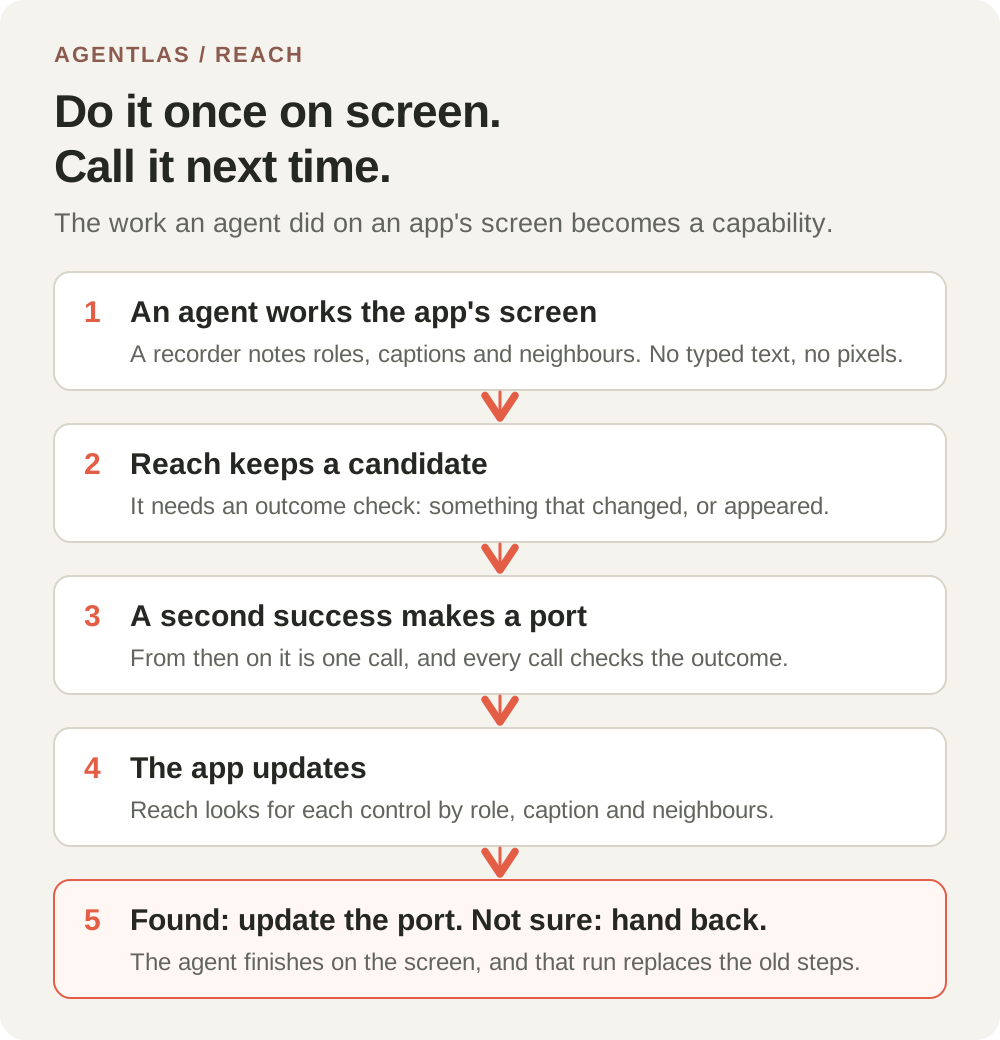
We started a development copy of Agentlas Desktop with its own empty profile, kept apart from the installed app, and asked the assistant to open Calculator and press clear, 7, plus, 8 and equals. Reach recorded the work as a candidate. A second matching run made it a port. Then we asked the assistant to call the port instead of pressing anything. It ran all five steps itself, with no model call in the replay, and Reach reported the outcome as satisfied.
Three bugs, three different ways to fail
The first full attempt did not end like that. The port was made, and then it could not be used. Each time we fixed one problem, the next one showed. They are worth listing because none of them showed up in tests on generated data.
- **The port was marked as failed by an unrelated check.** Reach looks around the apps on your computer when you are away. Its tidy-up step treated every saved item as a dialog, and a learned port is not a dialog, so it marked the port as failed right after it had been proven. The replay then answered that the port had failed when last used. Learned ports are now left out of that step and out of the daily recheck.
- **A menu bar item became the success check.** The assistant had read Calculator twice, at different depths. An item in the menu bar was only reached by the deeper read, so it looked new and was chosen as the sign that the work had succeeded. No later replay can see it, so every replay of a working port was reported as unsatisfied. Menu bar items are no longer used as a success check.
- **The replay could not see the display.** In Calculator the only thing that changes is the text of the display, and the replay was reading a view of the app that leaves out static text. A check on that text could never pass. The replay now reads the static text on macOS too, and where a screen shows no static text at all, a check on it is reported as unknown instead of as a failed run.
What we measured
This is one app, one computer and one assistant runtime, run once. It is a first look, not a benchmark.
| Step | Result |
|---|---|
| Assistant presses clear, 7, plus, 8, equals on Calculator | A candidate is recorded |
| A second matching run in a new conversation | The candidate becomes a verified port |
| The assistant calls the port, five steps | Outcome satisfied, nothing healed, no model call in the replay |
| A three-step port replayed on the real app by the test harness | 3.5 s median of 5 runs, 0 model calls |
Reading those results
Two attempts to make a second matching run did not count: in one the assistant reused an earlier answer in the same conversation instead of pressing the buttons again, and in another the app map was still being built, so Reach kept nothing. A new conversation and a finished app map fixed both. We are listing that because it is what a person will meet first.
What isn't done
This is still a development note, so here is what is missing.
- This ran in a development copy, not in an installed release. Two of the three fixes are in Agentlas Desktop 1.3.125. The third, the replay reading static text, is queued for the next release. We will repeat the run in an installed release and update this note when we have.
- The earlier note said that work whose result shows only in a display, like Calculator's, can't become a port. With the third fix it can on macOS. That line will change once the fix is in a release.
- It ran on macOS, with one app and one assistant runtime. We have not run it on Windows or Linux, and on those systems the replay keeps reading the app the way it did before.
- The static text reading depends on the format the macOS driver prints. If that format changes, the replay falls back to the earlier view and the check is reported as unknown rather than as a failure.
- Learning is still off by default. To turn it on, open Settings and switch on Explore this desktop's apps, then agree to the prompt.
Questions
**Does this change the Desktop I have installed?** Not by itself. The fixes arrive with Desktop releases. Learning stays off until you turn it on.
**Why not find these in tests first?** We had tests for each part, and they passed. The bugs were in how the parts met on a real run: what the assistant reads, what a replay reads, and what Reach does while you are away. That is the reason we ran the whole path.